

Managing Desk-Related Upper Back and Neck Pain
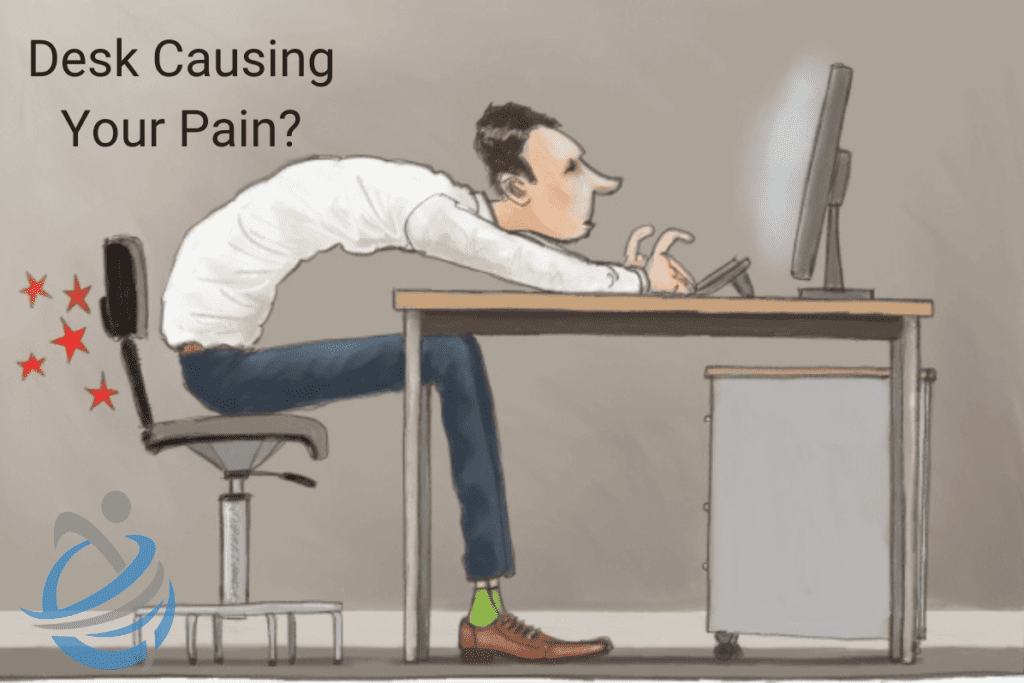
In our modern, tech-driven world, many of us spend the majority of our day sitting at a desk, staring at a computer screen. While this setup is often necessary for work, it can lead to significant discomfort and pain, particularly in the upper back and neck. This pain can be distracting, reduce productivity, and negatively impact over well-being. Fortunately, there are several strategies to manage and alleviate desk-related upper back and neck pain.

Understanding The Causes Desk Related Pain:
To effectively manage this pain, it’s essential to understand its common causes:
- Poor Posture: Slouching or hunching over your desk can strain the muscles and ligaments in your upper back and neck.
- Prolonged Sitting: Sitting for extended periods without breaks can lead to muscle stiffness and discomfort.
- Improper Desk Setup: An improperly arranged workstation can force your body into awkward positions, leading to pain.
- Lack of Movement: Staying in one position for too long reduces blood flow and increases muscle tension.
Ergonomic Desk Setup
Creating an ergonomic workspace is the first step in preventing and managing pain. Here are some tips:
- Chair: Use a chair that supports the natural curve of your spine. Adjust the height so your feet are flat on the floor and your knees are at a 90-degree angle.
- Desk Height: Your desk should be at a height where your forearms are parallel to the floor when typing.
- Monitor Position: Place your monitor at eye level, about an arm’s length away. This prevents you from hunching or tilting your head forward.
- Keyboard and Mouse: Keep your keyboard and mouse close to avoid overreaching. Your wrists should be in a neutral position.
Posture Correction
Maintaining proper posture can significantly reduce upper back and neck pain. Follow these guidelines:
- Sit Up Straight: Keep your back straight, shoulders relaxed, and ears aligned with your shoulders.
- Avoid Slouching: Use a lumbar roll or cushion to support your lower back and maintain the natural curve of your spine.
- Screen at Eye Level: Ensure your computer screen is at eye level to avoid tilting your head.
Regular Movement and Stretching to Combat Desk Related Pain
Incorporate regular movement and stretching into your day to prevent stiffness and improve blood flow:
- Take Breaks: Aim to take a break every 30 minutes. Stand up, walk around, and stretch during these breaks.
- Stretching Exercises: Perform simple stretches for your neck, shoulders, and upper back. Here are a few to try:
- Neck Stretch: Gently tilt your head to one side, bringing your ear toward your shoulder. Hold for 15-30 seconds and repeat on the other side.
- Shoulder Rolls: Roll your shoulders forward and backward in a circular motion to release tension.
- Upper Back Stretch: Interlace your fingers, extend your arms in front of you, and gently round your upper back, tucking your chin to your chest.
- Standing Desk: Consider using a standing desk or a sit-stand workstation to alternate between sitting and standing throughout the day.
Strengthening Exercises to help with Desk Related Pain
Strengthening the muscles that support your upper back and neck can prevent pain. Incorporate these exercises into your routine:
- Chin Tucks: Sit or stand up straight. Gently tuck your chin in and hold for 5-10 seconds. Repeat 10 times.
- Shoulder Blade Squeezes: Sit up straight and squeeze your shoulder blades together. Hold for 5-10 seconds and repeat 10 times.
- Wall Angels: Stand with your back against a wall. Raise your arms to shoulder height, with elbows bent at 90 degrees. Slowly raise and lower your arms, keeping them in contact with the wall.
Mindfulness and Relaxation Techniques
Stress can exacerbate muscle tension and pain. Practicing mindfulness and relaxation techniques can help:
- Deep Breathing: Take slow, deep breaths to relax your muscles and reduce tension.
- Mindfulness Meditation: Practice mindfulness meditation to improve your focus and reduce stress.
- Progressive Muscle Relaxation: Gradually tense and then relax each muscle group in your body to release built-up tension.
When to Seek Professional Help
While these strategies can help manage and alleviate desk-related upper back and neck pain, there are times when professional help may be necessary. Consider consulting a healthcare provider if you experience:
- Persistent or severe pain
- Pain that radiates into your arms, legs or head
- Numbness or tingling
- Weakness
A healthcare provider, such as an osteopath, can offer personalised treatment plans, including exercises, manual therapy, and ergonomic advice.
Take Home Points:
Desk-related upper back and neck pain is a common issue in our sedentary work environments. By setting up an ergonomic workspace, maintaining proper posture, incorporating regular movement and stretching, strengthening supporting muscles, and practicing relaxation techniques, you can effectively manage and prevent this pain. Remember to listen to your body and seek professional help if necessary, ensuring you stay comfortable, healthy, and productive at your desk.